 English
 Español
 Català
Understand the foundation
- What Serenity is and why it exists
- How systems are organized and interact with each other
Menus, modals, themes, localization, audio, settings, events and a clean startup pipeline. Import it into your project and start building the game instead.

 Serenity
 Jump into the live demo and play with the menus, themes and UI systems for yourself. There's nothing to download and nothing to install.
Most modern game controllers work straight away in the browser. Plug one in before you start, or just use your keyboard and mouse.
It only loads when you click, so the first start can take a few seconds.
The demo works best on a desktop browser.
Open the demo in a new tabBecause scaling Unity projects shouldn’t feel like starting over every time.
Your Unity project starts simple… then becomes unmanageable.
A clean architecture that actually holds as your project grows.
Everything ends up tangled inside MonoBehaviours.
Build systems once, reuse them across all your projects.
You keep rebuilding the same systems again and again.
Clear boundaries between game logic, application, and Unity.
Your team loses consistency as the project grows.
A solid foundation your whole team can rely on.
Twelve reusable Unity systems documented one by one: what they solve, how they fit together and when to use them.
Not the same systems, again.
No matter your role, Serenity has something for you.
A solid foundation to stay organized, move faster, and reuse systems across projects.
Create systems once and reuse them across projects instead of rebuilding from scratch.
Keeps your code organized and maintainable as your project grows.
Core systems independent from Unity; easier to test, reuse, and evolve.
Configure in the editor. See it work instantly in-game.
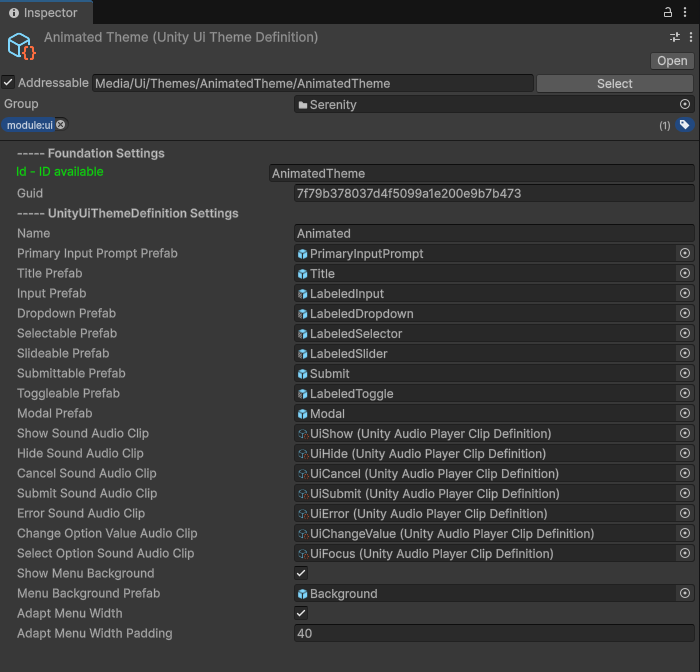
Set up systems in the editor without code.
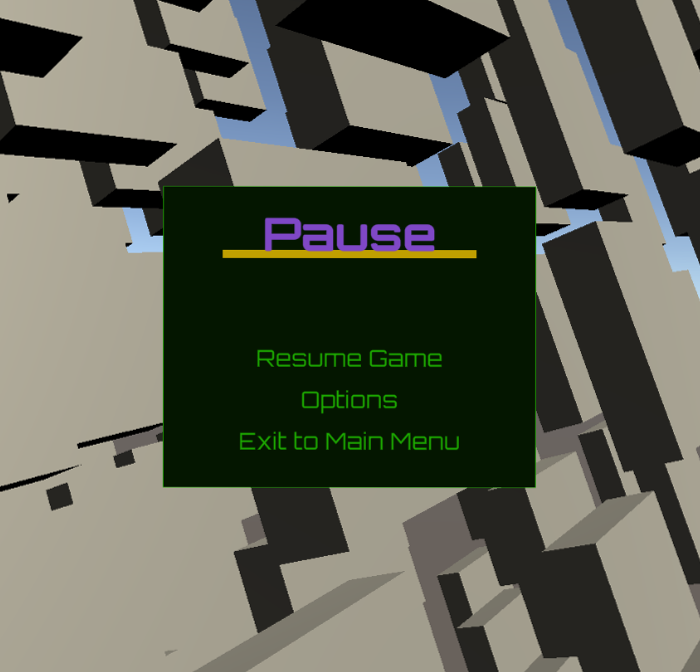
Systems working together in real time.
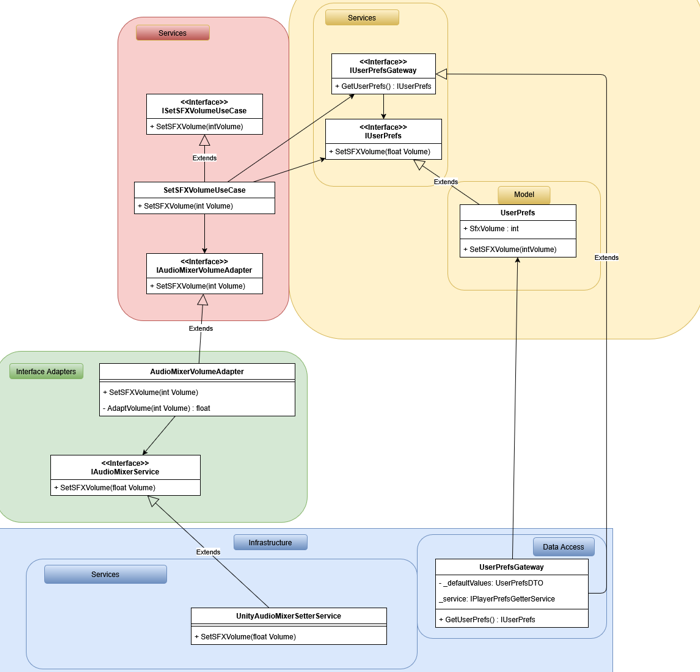
Understand how everything fits together.
No mockups. Real systems running in Unity.
Tangible results, not just theories.
Used in: Survival • Tower Defense • RTS
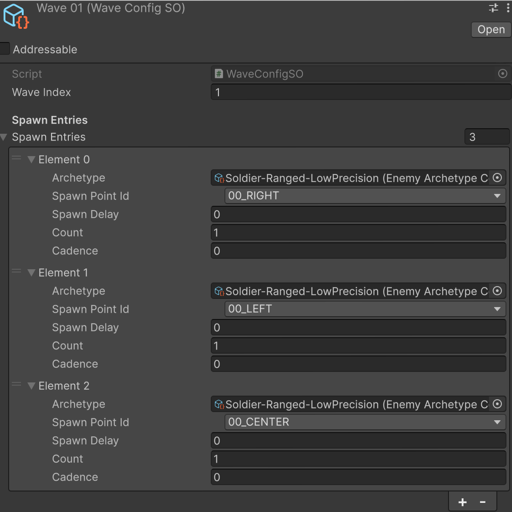 Define waves via ScriptableObjects
 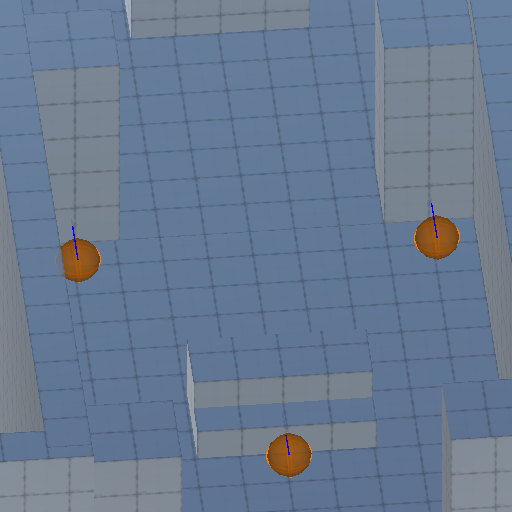 Set the spawn points on the scene
 Modular systems you can reuse across projects without rewriting core logic.
Foundational systems that drive your game architecture
A high-performance, type-safe event bus enabling loose coupling between systems. Supports event prioritization, filtering, and automatic listener cleanup. Ideal for observer or message-driven architectures across independent modules.
A modular initialization framework that defines startup sequences, resolves dependencies, and manages service lifecycles. Supports asynchronous setup, dependency injection, and robust error recovery for predictable boot flow.
Production-ready logging system supporting console, file, and custom output sinks.
Service that allows you to manage timers to be used in different systems. Allows you to get the representative text of the timer
Abstracts Unity’s Input System to provide unified keyboard, mouse, gamepad, and touch input. Includes dynamic device detection, rebinding, and multiplayer input mapping. Expose configurations via ScriptableObjects for designers.
Data-driven systems to control behavior without code
Define, serialize, and validate game parameters through strongly-typed ScriptableObjects.
Environment-aware configuration system managing platform overrides, environment variables, and feature toggles. Supports runtime detection and layered profiles (development, staging, production).
Intelligent preloading system built around Addressables. Defines preload groups, tracks progress, and optimizes memory usage. Ensures assets are ready when needed for seamless scene transitions.
Runtime graphics configuration layer supporting resolution scaling, quality presets, and render pipeline detection (URP/HDRP/Built-in). Enables automatic hardware adaptation and persistent player preferences.
Platform-independent persistence service.
Reusable UI patterns and systems
Build complete menu flows (pause, settings, navigation) using data-driven definitions. Supports nested hierarchies, transitions, dynamic content, and consistent theming without manual UI scripting.
Generate confirmation dialogs, alerts, and complex modals programmatically or from data. Supports modal stacking, backdrop control, input blocking, and async/await workflows for clean UX flow.
Handles view transitions, history tracking, and state restoration. Includes forward/back navigation, deep linking, and persistence across reloads. Ideal for layered or tabbed UI systems.
Modular UI component set with theme switching. Themes are defined via ScriptableObjects and applied globally or per view. All components follow Clean Architecture and decouple visuals from logic.
Audio and cutscene orchestration tools
Event-driven audio service supporting 2D/3D playback, crossfades, ducking, and priority-based management. Integrates with the Sound Mixer for dynamic mixing and efficient emitter pooling.
Handles seamless track transitions, crossfades, and adaptive layers.
Complete audio routing and mixing system with master, music, SFX, and voice buses. Supports volume persistence, effects chains, and runtime snapshots. Integrates with Unity’s AudioMixer or custom backend.
Manages cutscenes built in Unity Timeline or custom sequences. Supports skipping, pausing, subtitles, and automatic state restoration. Integrates with gameplay systems for smooth narrative transitions.
Higher-level systems built on top of the foundation; ready to use, extend, or replace.
Define how your game behaves across menus, gameplay, and pause without scattering logic across scenes. Keeps state transitions predictable and decoupled from Unity-specific code.
Handle checkpoints as part of your game flow instead of wiring persistence manually. Supports multiple save points, scene transitions, and consistent state recovery out of the box.
Track and update score without spreading logic across systems. Supports multiple score sources and keeps scoring rules centralized and easy to modify.
Move entities along rails without custom movement scripts. Ideal for guided gameplay, cameras, or on-rails mechanics while keeping logic decoupled and reusable.
Manage when, where, and how entities appear without hardcoding spawn behavior. Keeps spawning rules configurable and reusable across different game scenarios.
Serenity is designed to be understood in context; not through isolated code snippets, but as a complete system working together.
This video series walks you through a fully configured project where all core systems are already in place. You won’t start from scratch; you’ll explore, understand, and then build on top of something real.
Each video focuses on a specific concept, showing how everything connects without unnecessary complexity or boilerplate.
Start from the first video or explore freely.
This series is structured to help you progressively understand how Serenity works; from the big picture down to practical usage.
By the end of this series, you won’t just know how to use Serenity; you’ll understand how to think with it.
Take your time exploring the videos; everything is already set up for you to follow along.
Install the package, run the installer, and the nine core systems are already wired up. The documentation walks you through the rest.